Showing posts with label Web Browsers. Show all posts

Saturday, 10 May 2014

Google Chrome 35.0.1916.99 Beta

File--24.blogspot.com
"Google Chrome 35.0.1916.99 Beta "

Google’s game changing browser Chrome combines sophisticated technology with a simple UI, to create a faster, safer and easier browsing experience. Launched in 2008, Google Chrome quickly dominated the browser market to become the most used browser globally within 4 years of its public release. Google’s rapid and continuous development cycle ensures the browser continues to compete with the other most popular and advanced web browsers available.


Monday, 21 October 2013

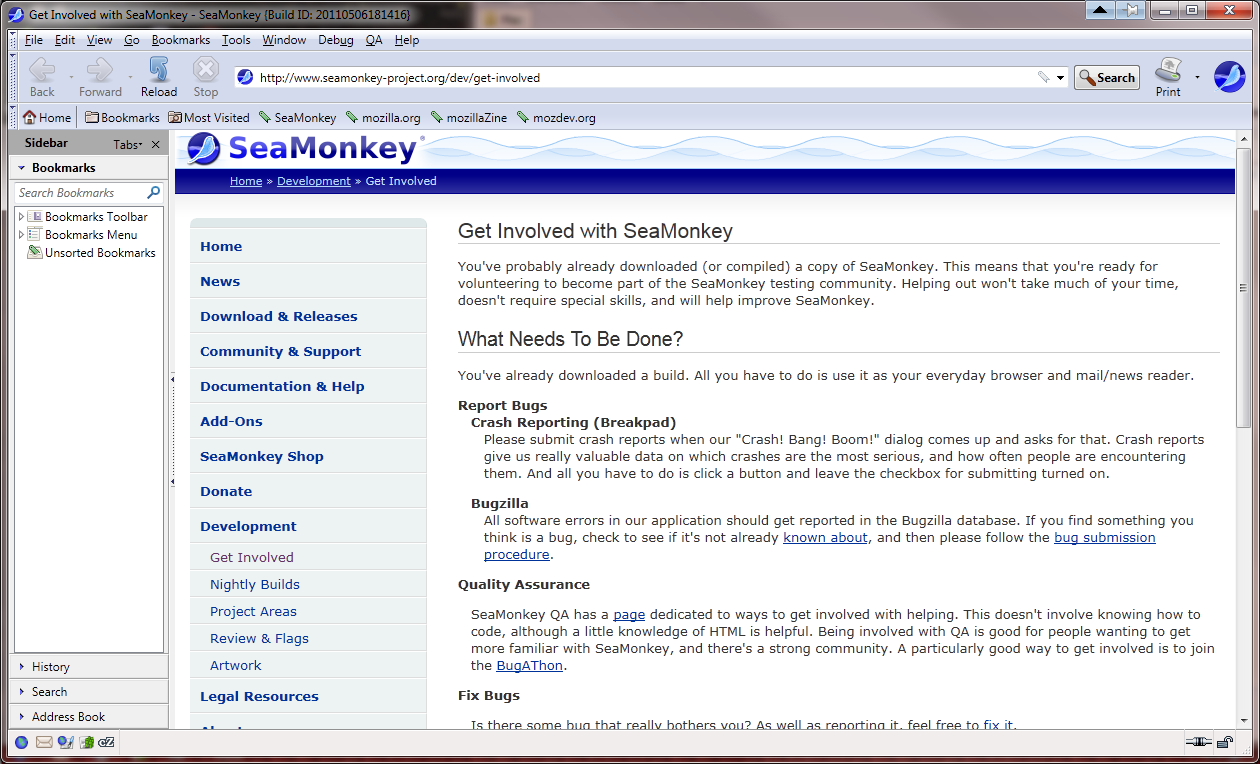
Mozilla SeaMonkey 2.22 Beta 1

File--24.blogspot.com
"Mozilla SeaMonkey 2.22 Beta 1"

SeaMonkey – all-in-one internet application suite: tabbed web-browser, advanced e-mail and newsgroup client, IRC chat client, and HTML editing made simple – all your Internet needs in one application. The SeaMonkey project is a community effort to deliver production-quality releases of code derived from the application formerly known as “Mozilla Application Suite” and is the codename for the Mozilla browser.


They include the NGLayout/Gecko layout engine and are built atop the XPCOM component architecture. Whereas the main focus of the Mozilla Foundation is on Mozilla Firefox and Mozilla Thunderbird, our group of dedicated volunteers works to ensure that you can have “everything but the kitchen sink” – and have it stable enough for corporate use. This is the latest version of the SeaMonkey application suite, including Navigator, Messenger, and Composer.

Navigator:

• Tabbed browsing gives you a better way to surf the net. You no longer have to open one page at a time. With tabbed browsing, open several pages at once with one click. Plus, your homepage can be multiple pages, in tabs.
• Popup blocker lets you surf the web without interruption from annoying ads.
• Image Manager lets you block images to remove offensive images or speed up the rendering of web sites.
• Find as you type gives you another way to navigate a page. Just start typing to jump from link to link or to find a word or phrase within a page.
• Plus all the features a modern browser should have including: Advanced security settings; Password, Download, and Cookie managers; Themes; multi-language and multi-platform support; and, the latest in Web Standards.

Mail & Newsgroups :

• Junk mail controls helps you take back control of your e-mail from spammers. SeaMonkey’s adaptive junk mail control gets smarter with use and is personalized to the e-mail that you receive.
• Manage your mail with customizable Labels and Mail Views. Color code your e-mail to help you prioritize. Sort your mail with views to help you through your e-mail much faster.
• Multiple Accounts support helps you manage all your mail through one interface.
• SeaMonkey Messenger includes Enterprise ready features such as S/MIME, return receipts, Address Books, LDAP support, and digital signing.

Composer:

• SeaMonkey’s powerful yet simple HTML editor keeps getting better with dynamic image and table resizing, quick insert and delete of table cells, improved CSS support, and support for positioned layers. For all your documents and website projects, Composer is all you need.


Homepage :
http://www.seamonkey-project.org


Specifications:


Developer: Seamonkey Project
Size / OS: 21.6 MB / Windows XP / Vista / 7/ 8 /
License: Free
Last Updated: 08/08/2013

Installation Guide:


1 - Install the software.

Tuesday, 16 July 2013

Opera Web Browser 15.0.1147.141 Final

File--24.blogspot.com
"Opera Web Browser 15.0.1147.141 Final"

Opera is a super fast Web browser. Designed to make your life easier! Why Opera? Safe, secure, powerful and fully customizable, the Opera Web browser is faster and more secure than other browsers available on the market. Opera delivers robust security and a far-richer feature set than any other Web browser and it's free.


Opera is the Web pioneer that delivered tabbed browsing, features lots of other great tricks for quick navigation, including Speed Dial, a quick way to put all of your favorite daily sites at your fingertips. You can also take, save and trade Notes attached to any Web site while browsing, or Create Search shortcuts from any search field on the Web. Opera is super fast and free, secure and stable, and offers lots of great tools for Web Developers.

Opera is a free of charge browser that offers multiple options such as pop-up blocking, tabbed browsing, integrated searches and E-mail client. Also, this application includes a RSS Newsfeeds and IRC chat. Whether you're going to work, working from home, developing Web sites, or just looking for a quick, solid browser that can help you quickly access the Internet, the free Opera Web browser delivers a superior Internet experience for every aspect of your online life, with lots of extra tech tools for power users!

Features of Opera:

• Feed Preview
• Opera Link
• Quick Find
• Opera Mail
• New browser engine
• Quick and customizable Web search
• Speed Dial
• Mouse Gestures
• Download Manager with BitTorrent
• Tabs and Sessions
• Content blocking
• Zoom and Fit to width
• Stay safe with new Fraud Protection and EV
• Customize your browser
• Add a Widget to your life
• Web developers: Meet Opera Dragonfly
• Scalable Vector Graphics(SVG)

Changes in Opera Web Browser 15.0.1147.141 : Click 

Home page:
www.opera.com


Specifications:


Developer: Opera Software
Size / OS: 29.6 MB / Windows XP / Vista / 7/ 8 /
License: Free
Last Updated: 09/07/2013

Installation Guide:


1 - Install the software.

Tuesday, 2 July 2013

Opera Web Browser 15.0 Build 1147 Final

File--24.blogspot.com
"Opera Web Browser 15.0 Build 1147 Final"

Opera is a super fast Web browser. Designed to make your life easier! Why Opera? Safe, secure, powerful and fully customizable, the Opera Web browser is faster and more secure than other browsers available on the market. Opera delivers robust security and a far-richer feature set than any other Web browser and it's free....


Opera is the Web pioneer that delivered tabbed browsing, features lots of other great tricks for quick navigation, including Speed Dial, a quick way to put all of your favorite daily sites at your fingertips. You can also take, save and trade Notes attached to any Web site while browsing, or Create Search shortcuts from any search field on the Web. Opera is super fast and free, secure and stable, and offers lots of great tools for Web Developers.

Opera is a free of charge browser that offers multiple options such as pop-up blocking, tabbed browsing, integrated searches and E-mail client. Also, this application includes a RSS Newsfeeds and IRC chat. Whether you're going to work, working from home, developing Web sites, or just looking for a quick, solid browser that can help you quickly access the Internet, the free Opera Web browser delivers a superior Internet experience for every aspect of your online life, with lots of extra tech tools for power users!

Features of Opera:

• Feed Preview
• Opera Link
• Quick Find
• Opera Mail
• New browser engine
• Quick and customizable Web search
• Speed Dial
• Mouse Gestures
• Download Manager with BitTorrent
• Tabs and Sessions
• Content blocking
• Zoom and Fit to width
• Stay safe with new Fraud Protection and EV
• Customize your browser
• Add a Widget to your life
• Web developers: Meet Opera Dragonfly
• Scalable Vector Graphics(SVG)

Changes in Opera Web Browser 15.0 Build 1147 : Click 

Home page:
www.opera.com


Specifications:


Developer: Opera Software
Size / OS: 29.6 MB / Windows XP / Vista / 7/ 8 /
License: Free
Last Updated: 02/07/2013

Installation Guide:


1 - Install the software.

Friday, 28 June 2013

Mozilla Firefox 22 Final

File--24.blogspot.com
"Mozilla Firefox 22 Final"

Mozilla Firefox is an open source web browser with a clean design, providing excellent browsing speed and very powerful customization tools, with just a reasonable footprint on computer resources.
Firefox bundles features that include smart bookmarks, spell check, private browsing, a download manager, incremental find, tab grouping (gathers related tabs and organizes them into groups) and several others.


In addition to these, Firefox also accommodates a series of tools for developers, such as the DOM Inspector and the Error Console.

The first contact with Firefox shouldn't be surprising since most browsers have already adopted tabbed browsing. It comes with a tabbed interface so opening multiple pages at the same time isn't a problem anymore. But what's under the hood is what really makes the difference.
9
Firefox is amazingly fast and blocks pop-ups, some viruses and spyware, but also gives the user an extraordinary power of customization through a well-developed add-on manager. Basically, you can change almost everything in your browser, starting with the way it looks and ending with features and functionality.

Mozilla lets you install new themes and so-called Personas that change the appearance of the main window, as well as add-ons (created by third-party developers) for adding new functions to the application.

Firefox Sync is another feature worth mentioning; it enables you to synchronize browser bookmarks, passwords, forms and add-ons across multiple computers, by storing all of these on the dedicated Mozilla servers. The data is encrypted, so no other person, aside from you, is granted access to it.

Firefox is fast and reliable and includes a decent set of customization tools. With the aid of a few add-ons and themes, it can be tailored to the needs of day-to-day users, as well as developers.

Here are some key features of "Firefox":

· Comprehensive popup controls to keep unwanted advertising off your desktop;
· A tab browsing mode that lets you open several pages in a single window, allowing you to load links in the background without leaving the page you're on;
· Integrated search (powered by Google);
· Industry leading accessibility with Find As You Type - find links and page text by simply typing;
· Simplified privacy controls that let you cover your tracks more effectively;
· A streamlined browser window that lets you see more of the page than any other browser while at the same time being more configurable;
· A large variety of free downloadable extensions and themes that add specific functionality and visual changes to the browser.

Requirements:

· Pentium 4 or newer processor that supports SSE2
· 512MB of RAM
· 200MB of hard drive space

Changelog  :Click

Home Page


Specifications:


Developer: Mozilla
Size / OS: 19.3 MB / Windows XP / Vista / 7/ 8 /
License: Free
Last Updated: 27/06/2013

Installation Guide:


1 - Install the software.

Maxthon Cloud Browser 4.1.0.3000 Final

File--24.blogspot.com
"Maxthon Cloud Browser 4.1.0.3000 Final"

Maxthon Cloud Browser 4 is powered by Maxthon’s cloud engine, makes seamless web browsing no longer just a concept. These state-of-the-art, cloud-power, next-generation web browsers work in concert and make it easy for users to maintain a continuous experience, un-tethered to a single device or operating system.


Maxthon Cloud is not limited to a single device ecosystem or operating system: It moves files, data and web session information from browser to browser, unconfined by a single set of cloud products or devices. Maxthon Cloud creates continuity by addressing the fundamental issue faced by all web users today: how to manage information in a seamless and unified way while using many different devices. Doing this well requires a commitment to 3 major product principles. Maxthon Cloud for Windows uses the fast and efficient, innovative dual-core design using both Webkit and Trident, that ensure all web pages are displayed quickly and reliably.

Maxthon Cloud Browser launches the next era of web browsing, leveraging an innovative approach to technology and user experience design for which Maxthon is well known. It also represents the latest chapter of the rich dialogue Maxthon has had with its global community since the creation of My IE2.

Maxthon Cloud unique features:

• Lightning fast speed – Maxthon Cloud uses an optimized web engine that loads webpages and runs applications faster than any other browsers.
• Cloud syncing – Maxthon Cloud syncs user data, history and tabs across any platform their choice.
• Cloud download – Simultaneous storage of user downloads in the cloud;
• Cloud storage – You can create their own storage space in the cloud.
• Cloud pushing – You can push content (webpages, text, pictures and links) from any webpage to any device running Maxthon Cloud.

Maxthon Cloud Services:

• Cloud Push: Supports sending text, images, websites/links and tabs to Mac, Android and Windows operating systems.
• Cloud Download: Supports downloading files in various formats and uploading them to ‘My Cloud’ for backup on any device.
• My Cloud Tabs: Lets you pick up where you left off by automatically syncing your tabs to Android, iOS or Mac devices.
• Cloud Sync: Syncs account data (Favorites, Settings and Magic Fill data) to other devices.

Easy-on-the-Eyes Reading:

• Reader Mode: Makes it easy to view articles by adjusting font sizes and removing ads and other distractions.
• Night Mode: Adjusts the brightness of the screen for low-light reading.

Features that Make Web Browsing Less Annoying and More Convenient:

• Magic Fill: Maxthon securely saves the names and passwords of websites you visit and then fills in that information when you return.
• Ad Hunter: Maxthon removes advertisements with one click, and automatically blocks annoying pop-up windows.
• New Session: Users and gamers can simultaneously log into the same website with different accounts.
• Source Sniffer: Extract all photos, embedded videos and audio files from a web page and download them with one click.
• SkyNote: Save and access text notes anywhere, anytime. You can also sync them across Windows and Android.
• “Do Not Track” protects your privacy by preventing ad networks from tracking you.

Extension Center:
• Maxthon has a diverse selection of extensions for entertainment, information and social media.
• Extensions are easy to install and manage with just one click.

Easy Screen Grabs with Maxthon ‘Snap’:

• Click the camera button in the toolbar to easily and quickly capture a screenshot of the entire web page in one click! Watch the video tutorial now.

Security and Privacy:

• Safe site technology identifies websites you are about to visit and lets you know if they are safe and secure.
• Maxthon blocks malicious websites and phishing attempts for you, automatically.
• Easily launch a private browsing session that does not track history.

Maxthon Cloud works on Windows PC, Mac, Android and iOS.
Maxthon Cloud makes it easy to surf the web from a Dell PC to a user’s iPhone to a Samsung Galaxy tablet and back again.

Changes in Maxthon Cloud Browser 4.1.0.3000:

* Fixed: Menu display problem in Developer Tools
* Fixed: Crash problem caused by ‘Inspect Element’
* Fixed: Crash problem caused by java extensions 

Homepage :
http://www.maxthon.com


Specifications:


Developer: Maxthon 
Size / OS: 31.3 MB / Windows XP / Vista / 7/ 8 /
License: Free
Last Updated: 28/06/2013

Installation Guide:


1 - Install the software.